
 Get BikeNet 2.1
NXS
Install NXS and get started with BikeNet
Start with the setup guide
The illustrated setup guide walks you through the physical installation and initial configuration of your NXS system. Download it before starting and keep it open on another device if possible, so you can refer to each step while working on the bike.
The English and Simplified Chinese guides are available now. Japanese and German editions are still being prepared.
Install the BikeNet app
The publicly available BikeNet app is used to connect to the NXS hardware, complete setup, install firmware updates, change button mappings, and tune the drivetrain. Install it on the phone you plan to use near the bike.
After installation, allow Bluetooth or Nearby Devices access when asked. The app cannot discover the rear shifter or Pods without that permission.
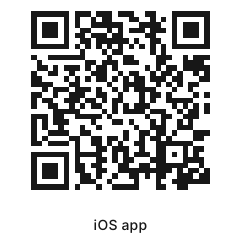 Open App Store
 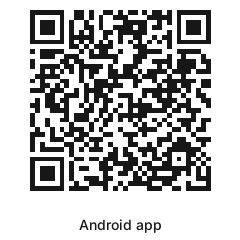 Open Google Play
 Complete the first setup
Charge the rear shifter with a standard 5 V USB power source, then disconnect the charger before setup. Secure the bike in a work stand so the rear wheel and drivetrain can move freely, and keep your hands and clothing away from moving parts.
- Install the NXS hardware by following the setup guide for your kit.
- Open BikeNet, allow the requested Bluetooth permission, and wake the rear shifter and Pod.
- Add the existing NXS system to Stable and enter the hardware PIN when asked.
- Install any required firmware update before continuing.
- Run rear-derailleur setup, check every gear while turning the pedals by hand, and make small tuning adjustments where needed.
- Map the Pod buttons if you want to change their default functions, then run System Check before riding.
The new BikeNet 2.1 release
BikeNet 2.1 brings rides, bikes, sensors, and NXS setup together. It is available now on iOS and Android.
Download the latest release on the App Store or Google Play. No beta signup is needed.
If you need help
If a step does not match what you see, stop before resetting the hardware or forcing the derailleur to move. Search the NXS articles in this Help Center for the specific setup stage or error.
The community forum also contains installation examples, setup videos, and answers from other NXS riders. For a problem that needs investigation, contact BikeNet Support and include the component, app version, exact step, and any error shown.